
🍪 ColorMango uses your cookies to give you the best experience on our website. Learn more on our Privacy Policy
Verified Coupons · Updated Daily
Curated Price DropsNewsletter ExclusiveShared Premium Subscriptions

PDF Candy — Verified Best Price · Up to 5% Off · October 2026

  • Google Coupons
  • 🎓
    EDU/NPO Discount
  • Bad/Low Codes
  • Latest Version
  • Best Deal GuaranteeBetter deal? Get $5
Verified by Miles
  • 5% Off
  • Desktop PRO
  • $94.90 $99.9
  • $5.00
Past Offers (May have expired)
  • Desktop PRO
  • $5.10 $6
  • $0.90
Past Offers (May have expired)
If the discount fails, contact us.
  • Verified & Regularly Updated
    We regularly check deals and remove expired or misleading offers.
  • Spot an error or find a better deal?
    Send us a better valid deal. Once verified, we’ll reward you $5. Your feedback helps the entire community keep these deals accurate. (How it works)
  • How ColorMango stays free
    To maintain our service, we may earn a small commission when you make a purchase through some links — at absolutely no extra cost to you.

🧑‍💼 ColorMango Extra Support

Having order or technical issues? We're here to help—working with the vendor on your behalf to get things resolved.

🛡️ Official Checkout

Buy directly on the vendor’s official website. The vendor handles your order, with ColorMango here if you need extra help.

Verified deals · Real savings · Since 2006

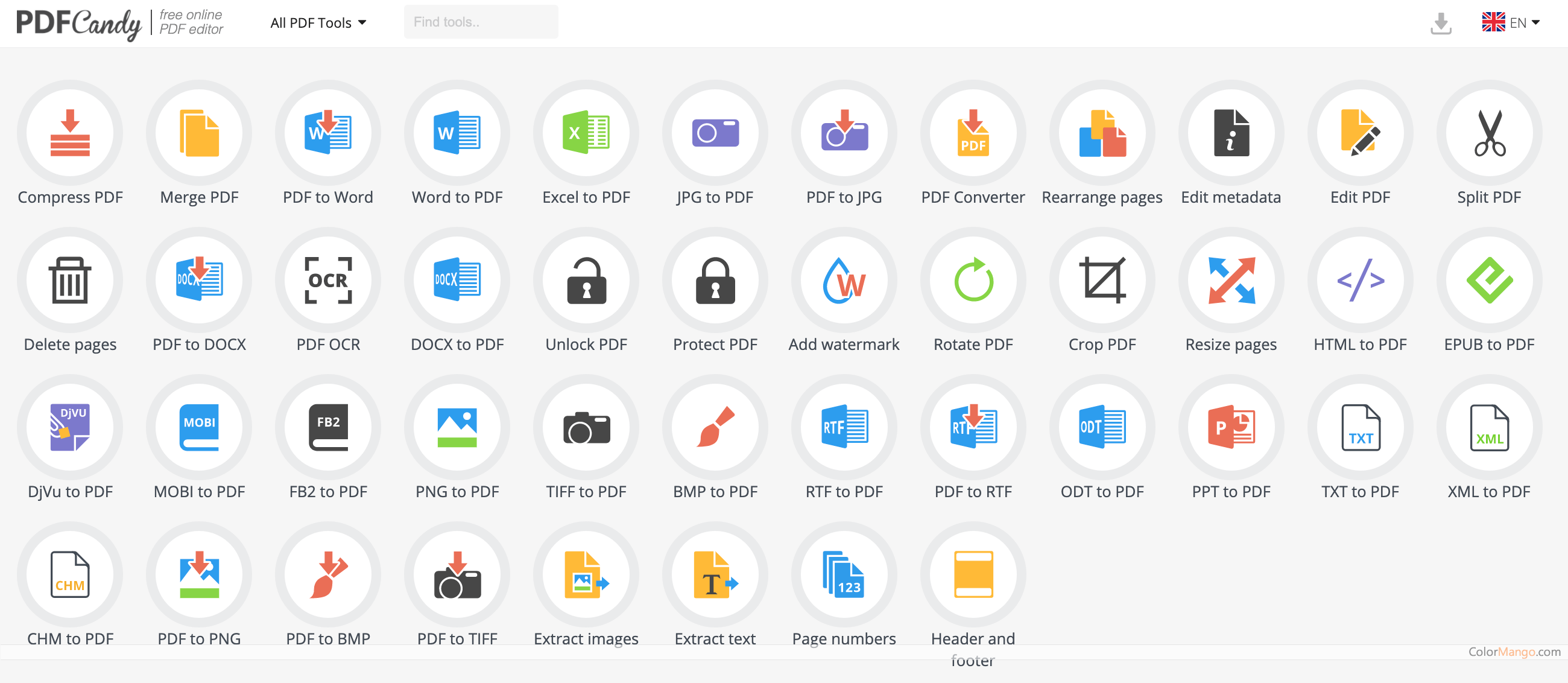
47-in-one Cloud-based PDF processing and conversion tool

PDF Candy is a cloud-based PDF processing and conversion tool that offers a variety of features to help users manage and edit their PDF files. It is accessible from any device with an internet connection and does not require any software installation.

The key features of PDF Candy:
  • PDF conversion: PDF Candy can convert PDF files to a variety of other formats, including Word, Excel, PowerPoint, JPG, PNG, and more.
  • PDF editing: PDF Candy allows users to edit their PDF files by adding text, images, and shapes, as well as by deleting, rotating, and cropping pages.
  • PDF merging: PDF Candy can merge multiple PDF files into a single PDF file.
  • PDF splitting: PDF Candy can split a single PDF file into multiple PDF files.
  • PDF compression: PDF Candy can compress PDF files to reduce their size.
  • PDF protection: PDF Candy can protect PDF files with a password and set permissions for viewing, printing, and editing.
  • PDF unlocking: PDF Candy can remove passwords from PDF files.
  • PDF annotation: PDF Candy allows users to add annotations to their PDF files, such as highlights, notes, and comments.
  • PDF form filling: PDF Candy allows users to fill out PDF forms and save them.
  • PDF signing: PDF Candy allows users to sign PDF documents electronically.

PDF Candy is a versatile and easy-to-use tool that can help users manage and edit their PDF files efficiently. It is a great resource for both individuals and businesses who need to work with PDF documents.

Customer Reviews

5.0
2 votes
5
100% (2)
4
0% (0)
3
0% (0)
2
0% (0)
1
0% (0)

Be the first to share your thoughts!

Is this a killer deal? How is the product? Share your experience and help the community shop smarter!

Leave blank to post anonymously.
Tap a star to rate this deal or product
Minimum 10 characters

Customer Q&A

  • ❓ Did PDF Candy have any discounts during Black Friday/Cyber Monday?
  • There were no extra discounts for PDF Candy during Black Friday/Cyber Monday 2025.
    🕵️‍♀️ ColorMango regularly monitors PDF Candy deals during Black Friday/Cyber Monday and updates the latest discounts as soon as they are available.
  • ❓ How to request a refund for PDF Candy?
  • Most software offers an unconditional refund guarantee within 7–30 days. You can check the official refund policy of the product, or contact ColorMango Support — we’ll assist you in completing the refund process smoothly.
Ask a New Question
Contact Us / Order Support

Score the best price from anywhere - since 2006
© 2006-2026 ColorMango.com.
All Rights Reserved.