RecoverXData

No current deals. Try the free plan or visit the official site.
No coupons or deals available
right now.
You can try the free plan or visit the official website for the latest pricing and offers.
Visit Official Site- 1
 EaseUS Data Recovery Wizard Professional55% Off
 - 2
 Tenorshare 4DDiG30% Off
 - 3
 DMDE Data Recovery15% Off
 - 4
 EaseUS Fixo55% Off
 - 5
 UFS Explorer Standard Recovery15% Off
 - 6
 UFS Explorer RAID Recovery15% Off
 - 7
 4DDiG File Repair30% Off
 - 8
 Wondershare Dr.Fone29% Off
 - 9
 EaseUS Data Recovery Wizard for Mac55% Off
 - 10
 DiskGenius10% Off
Restore lost or deleted files on a variety of media devices.
Accidentally deleted data? Here’s the best and most effective solution.RecoverXData is a Professional Data Recovery Software running Windows computers. It’s designed to recover any lost data from a computer hard drive, Recycle Bin, lost partitions, an external drive, SD cards, flash drives, and more. Whether the files are deleted, emptied in Recycle Bin, or disappeared in a lost partition, you can easily scan and recover with RecoverXData.
The Main Features
1. Simple & easy GUI for everyone
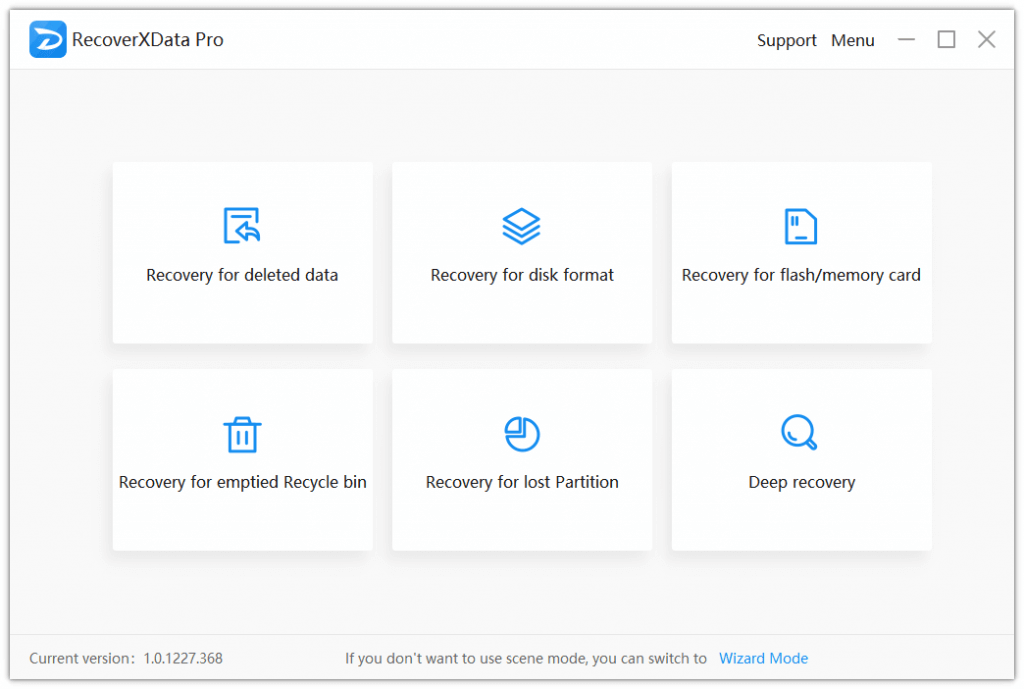
You don't need to be a computer geek with the default scene mode or the intuitive wizard mode. With just a few clicks and waiting, you can get the lost data recovered. Supported scenes include:
- Recovery for deleted data.
- Recovery for disk format.
- Recovery for flash/memory card.
- Recovery for emptied recycle bin.
- Recovery for a lost partition.
- Deep recovery.
2. Supports to recover all popular types of files on PC and removable drives.
It recovers almost all types of files of any brand and storage medium connected to a PC (except CD/DVD/VCD). For example, file types like PDF, DOC, DOCX, PPTX, PPT, LOG, JPG, PNG, MP4, MP3, MOV, etc., and storage medium brands like Sandisk, Seagate, Western Digital, Toshiba, Hitachi, and more.
3. Easily targeting the lost data.
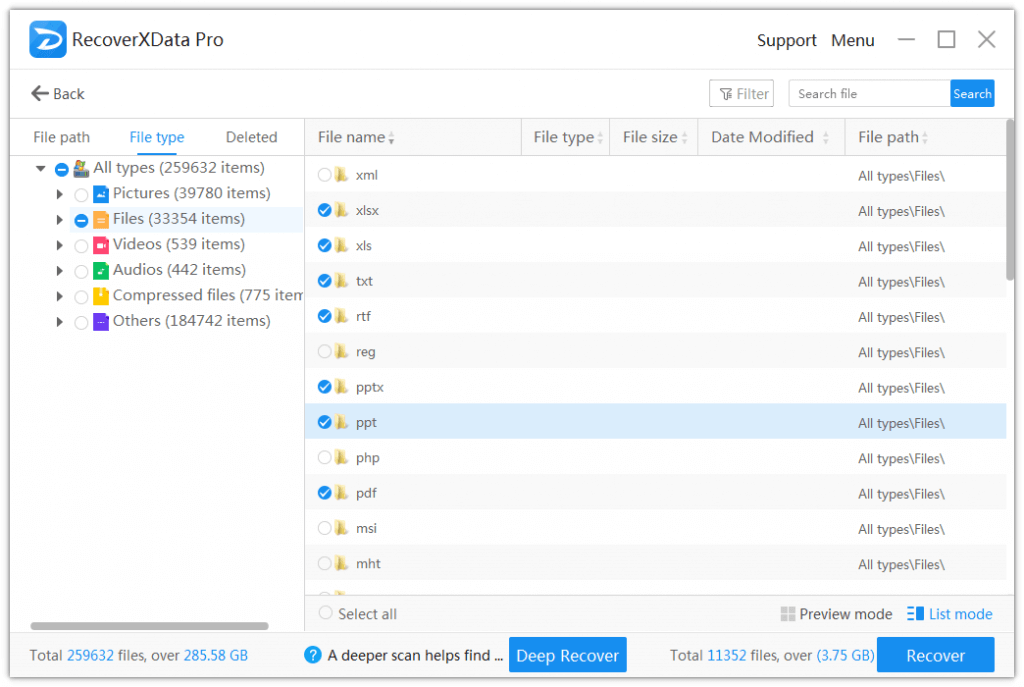
Once scanned, you will find it easy to target the lost data by filtering file path, file type, deleted files, and you can also search with file names. And for pictures and document files, you can preview those under 30MB.
4. 100% Secure & No damage or change to the original data
RecoverXData only reads the drives & data and will not write into the original drive, keeping data in a secure mode.
5. Fast and trustful
By choose a scene and location, you can choose to start a quick scan or deep scan. The quick scan can help scan the disk faster for lost data, while the deep scan will analyze data in detail to find more data. Both are trustful and effective.
Customer Reviews
5.0
3 votes
Customer Q&A
- ❓ Did RecoverXData have any discounts during Black Friday/Cyber Monday?
- There were no extra discounts for RecoverXData during Black Friday/Cyber Monday 2025.
🕵️♀️ ColorMango regularly monitors RecoverXData deals during Black Friday/Cyber Monday and updates the latest discounts as soon as they are available.
